
Last updated: June 19, 2026
Free Flashcards App to Improve Vocabulary Fast
Lingocard is a free flashcards app that helps you build vocabulary fast and remember it for good - AI spaced repetition, native audio, ready-made frequency dictionaries, and offline study across 67 languages.


Let's learn a language
The system
What is the Lingocard flashcards system?
A complete vocabulary-building tool for language learners and the teachers who support them. A flashcard pairs a word or phrase with its meaning, translation, and pronunciation - and Lingocard decides exactly when to show you each one, so words move from short-term memory into permanent recall.
Unlike general study apps that treat language like any other subject, Lingocard is built for languages from the ground up: every card can be heard aloud, every deck supports your native and target language side by side, and the most useful words come ready to learn. Memorizing word lists the old way rarely works, because the brain quickly discards information it does not actively recall. Lingocard fixes that by replacing passive review with active recall on a smart schedule - faster learning, less wasted time, and vocabulary that is still there months later.
Spaced repetition
Stop forgetting words: how spaced repetition makes vocabulary stick
Ever studied a vocabulary list, then forgotten most of it a week later? That is not a personal failing. It is the Ebbinghaus forgetting curve, the well-documented way memory fades over time when information is not reviewed. Spaced repetition is the proven antidote: it schedules each word for review at the precise moment you are about to forget it, then widens the gap a little more each time you succeed.
The forgetting curve, flattened
Without review, recall drops sharply within days. Spaced repetition lifts each dip back up at the right moment, so memory stays high over time.
Here is how Lingocard's algorithm works in practice:
Active recall
When a card appears, you try to remember the answer before flipping it. That effort of retrieval is what builds durable memory, far more than simply re-reading a list.
Self-assessment
After flipping, you rate the card as Hard, Good, or Studied based on how easily it came back to you.
Optimized scheduling
A hard word may return in a few minutes or the next day; an easy word is pushed weeks or months ahead. You spend your time only on the words that actually need it.
By reviewing each word just before it would slip away, you flatten the forgetting curve and move vocabulary into long-term memory with the least effort possible. You can also open the spaced repetition settings and tune the system to your own pace.
Spaced repetition is one of the most consistently supported findings in memory research: reviewing material at increasing intervals produces stronger long-term retention than the same time spent re-reading. The same principle that helps students retain thousands of facts is what helps you retain thousands of words.
Pronunciation
Hear every card: native audio pronunciation built in
Reading a word is only half of learning it. To actually use a language you need to know how the word sounds, and a lot of flashcard apps give you text only. That gap is where bad pronunciation habits form. Lingocard closes it by building high-quality text-to-speech pronunciation into every card, in both your native and your target language.
Tap any card to listen
Hear the word spoken clearly. Many learners tell us the pronunciation quality is best in the Lingocard web app, so it is easy to check for yourself.
Train your ear and your accent
Your ear learns to recognize the word in real speech, you get a reliable native model to imitate, and you absorb the rhythm and intonation that matter so much in tonal languages like Mandarin Chinese or Vietnamese.
to study / to learn
Ready-made decks
Start fast with free frequency dictionaries
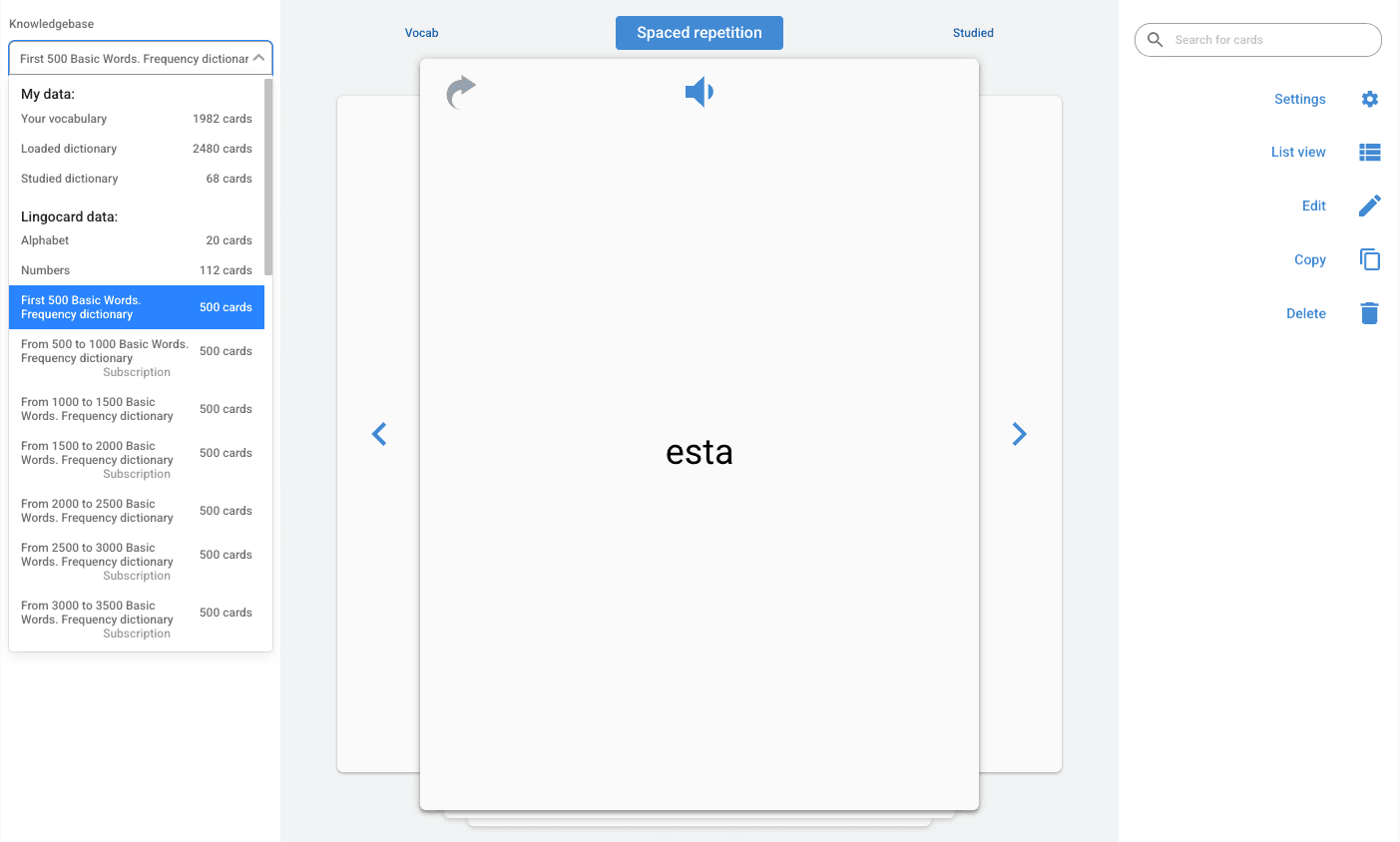
You do not have to build every deck from scratch. Lingocard comes with frequency dictionaries for any of its 67 languages, listing words in the order people actually use them. Because a small set of common words covers a large share of everyday speech, learning the most frequent words first lets you understand and say more, sooner. Beginners can reach a basic, usable level with just the first few hundred words.
Open the knowledge base to browse every available dictionary alongside your own decks, all stored in your cloud account. Most dictionaries are free; a few specialized ones come with an inexpensive subscription, but the core frequency dictionaries and the features that matter most for daily study cost nothing.
Card creation
Create flashcards your way, in seconds
Adding cards should never be the chore that stops you from studying. With Lingocard you have several fast ways to build a deck.
Type or speak
Tap the plus button and write a card, or just say it out loud and the voice recognition turns your speech into text you can play back later in high-quality pronunciation.
Add an image
Attach a picture or visual association to any card, because a word tied to an image is far easier to remember.
Thousands of cards in one click
Turn any block of text into a full deck of personal flashcards in a single action, so an article, a lesson, or a word list becomes study material instantly.
Every card syncs to unlimited cloud storage, so your work is safe and available on every device. And when you meet a new word during a real conversation in Lingocard's speaking practice network, you can save it straight to a flashcard - so the words you actually use are the words you keep.
Audio player
Listen to your cards like music, even offline
One of Lingocard's most loved features is the flashcard audio player. Launch any dictionary or deck and listen to it like a playlist while your hands and eyes are busy - driving, running, doing chores, or standing in line. This turns dead time into study time, and is one of the simplest ways to get more repetitions without sitting down to a session.
It works offline too. Study on a plane or anywhere without a connection; the app logs your sessions locally and syncs your progress the next time you are online, so your streak and your schedule are never disrupted.
Explore the mobile app for language learning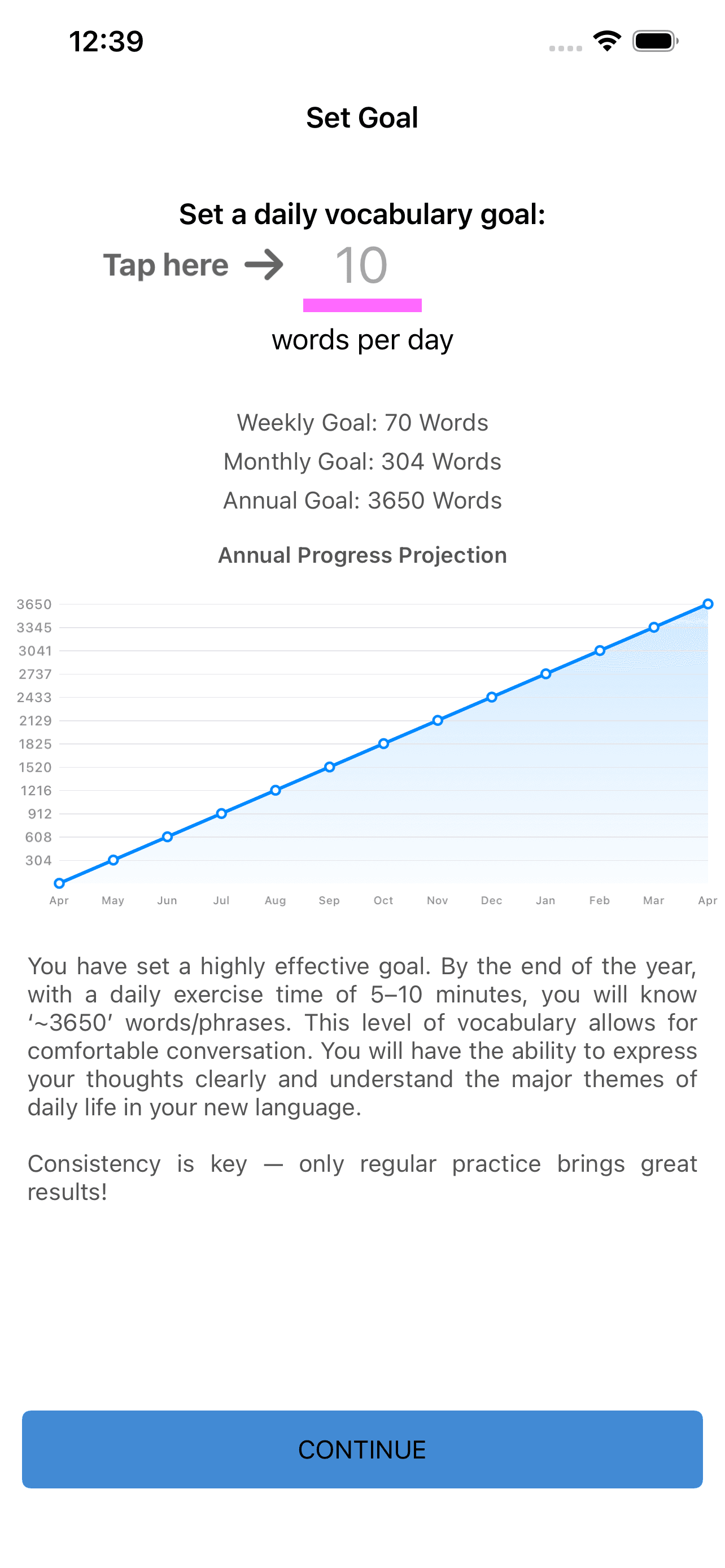
Stay consistent
Stay motivated: goals, reminders, and progress tracking
Consistency is what actually builds vocabulary, so Lingocard is built to keep you going. Set a daily goal and a goal indicator on each card shows how close you are. When you hit your target, the app celebrates it. Adjustable reminders nudge you to study at the times that suit you, and a progress page charts how many cards you have studied each day, week, and month, so you can watch your vocabulary grow over time.
Studied cards are stored separately as well, so you can revisit anything you have learned and confirm it has truly stuck. Clear goals plus visible progress turn a vague intention to learn more words into a habit you can actually keep.
The honest comparison
Lingocard vs. Anki vs. Quizlet for language learning
The flashcard market is crowded, and several well-known names have moved their best features behind paywalls or kept interfaces that beginners find hard. If you are looking for a free alternative to Quizlet or a friendlier alternative to Anki built specifically for languages, here is an honest comparison, accurate as of the date above.
| Feature | Lingocard | Anki | Quizlet |
|---|---|---|---|
| Spaced repetition | Free | Free | Limited on free plan |
| Native audio pronunciation (TTS) | Built in, free | Add-on / manual | Limited |
| Built for language learning | Yes, 67 languages | General-purpose | General-purpose |
| Frequency dictionaries included | Yes | No | No |
| Create cards by voice | Yes | No | No |
| Audio player (study hands-free) | Yes | Add-on | No |
| Thousands of cards in one click | Yes | Manual | Limited |
| Offline study | Yes | Yes | Paid |
| Ease of use | Beginner-friendly | Steep learning curve | Easy |
| Price of core features | Free | Free desktop, paid iOS | Subscription for key features |
← Swipe to compare all three →
Lingocard was created by language learners and teachers for their own use first, so it focuses on what learners actually need rather than on ads or upsells. You get the power of a serious spaced repetition system wrapped in a clean design, and you can start studying your first words within seconds of opening the app, with no tutorials required.
67 languages
Flashcards for 67 languages
Lingocard supports vocabulary building in 67 languages, from the most widely spoken to regional and less common ones. Whether you want an English vocabulary builder, free Spanish flashcards, or a tool to master Japanese characters, the system handles it, and polyglots can keep several languages active at once and switch between them in a tap.
Loved by learners
Real progress, one card at a time
The one-click text-to-deck feature changed how I study. I paste an article, get a deck, and the audio player drills it on my commute. My vocabulary has never grown this fast.
I tried Anki for years and always quit. Lingocard had me studying in under a minute, and the native audio on every card fixed pronunciation mistakes I did not know I had.
The frequency dictionaries are gold. Learning the most common 500 words first meant I could follow real conversations way sooner than with my old textbook.
I teach a small class and build shared decks for my students. Spaced repetition plus audio means they actually review at home, and I can see it in their results.
Studying offline on flights is the feature I did not know I needed. My streak survives long-haul trips, and everything syncs when I land.
I switched from paper cards and never looked back. Hearing each word out loud finally fixed the tones I kept getting wrong in Mandarin, and my tutor noticed within two weeks.
The save-a-word button is sneaky good. Mid-conversation I tap a word I did not know and it is a card by the evening. My deck basically writes itself now.
Five minutes on the bus, five before bed. Tiny sessions, but the streak and the schedule mean I have held onto more Korean than a year of classes ever gave me.
Frequently asked questions
What is the best flashcards app for learning a language?
Is Lingocard really free?
How does spaced repetition work?
Can I use the app offline?
Can I hear how words are pronounced?
How do I create flashcards quickly?
How do I improve my vocabulary fast?
Can I learn more than one language at the same time?
Is it better to make my own flashcards or use ready-made decks?
Is Lingocard a good free alternative to Anki or Quizlet?
Can teachers create flashcards for their students?
Which devices does Lingocard support?
How many languages and how many cards can I have?
How do I set study reminders for regular learning?
Start building your vocabulary today
Your first deck is minutes away. Create a free account, pick your language, and let Lingocard's spaced repetition and audio do the heavy lifting while you learn the words that matter, fast.
Further reading
Learn more on the blog
Go deeper on flashcards, spaced repetition, and building vocabulary that lasts.
Flashcards for learning a foreign language