
Last updated: June 11, 2026
Web App for Language Learning: Study, Create, and Teach in Your Browser
Study flashcards with spaced repetition, build thousands of cards in one click, and practice speaking with real people - free, in any browser, across 67 languages. No download needed.
Instant access
Learn a language in your browser, no download needed
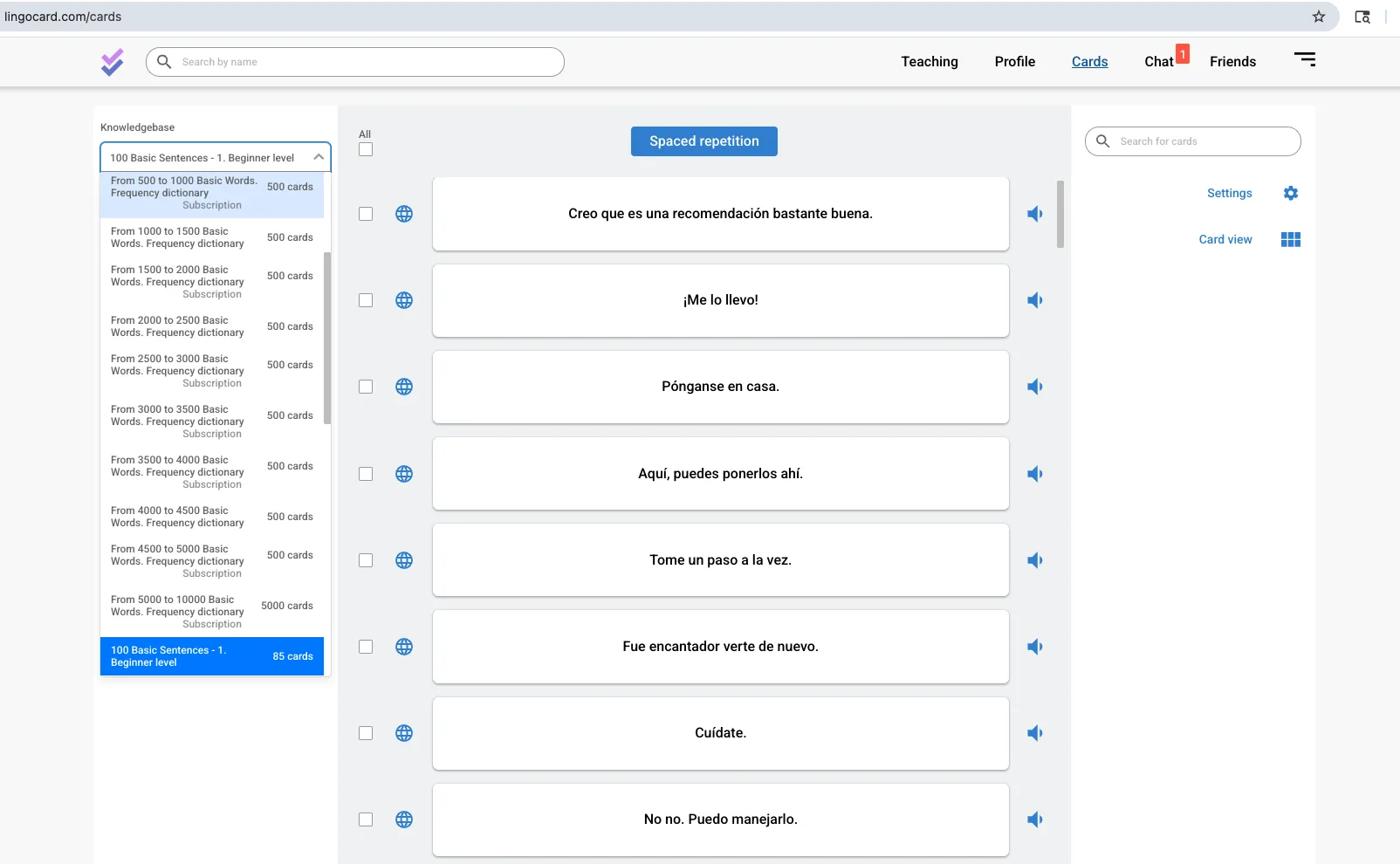
Sometimes you do not want to install anything. With Lingocard's web app you can start learning a language in seconds, straight from your browser, on a work laptop, a school computer, a Chromebook, or any device with a screen and a connection. There is nothing to download and nothing to set up: open the page, sign in, and your decks, progress, and settings are right there in your cloud account.
The web app is the full experience, not a cut-down version - flashcards, the spaced repetition system, native audio, the knowledge base of dictionaries, speaking practice, and the teaching tools, all in one place. And because it shares one account with the mobile app for language learning, anything you study or create on the web is waiting on your phone, and the other way around.
- No install, no setup - open the page and sign in
- Any device - Windows, macOS, Linux, Chromebooks
- The full experience - everything synced with mobile
Open the page, sign in, and pick up exactly where you left off on any device.
Study online
Study flashcards with spaced repetition online
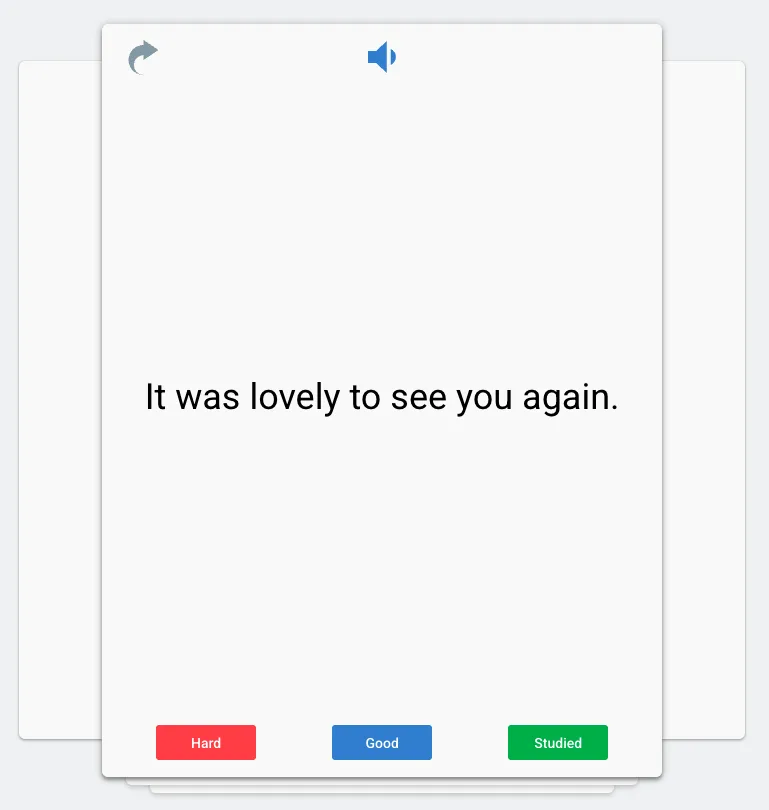
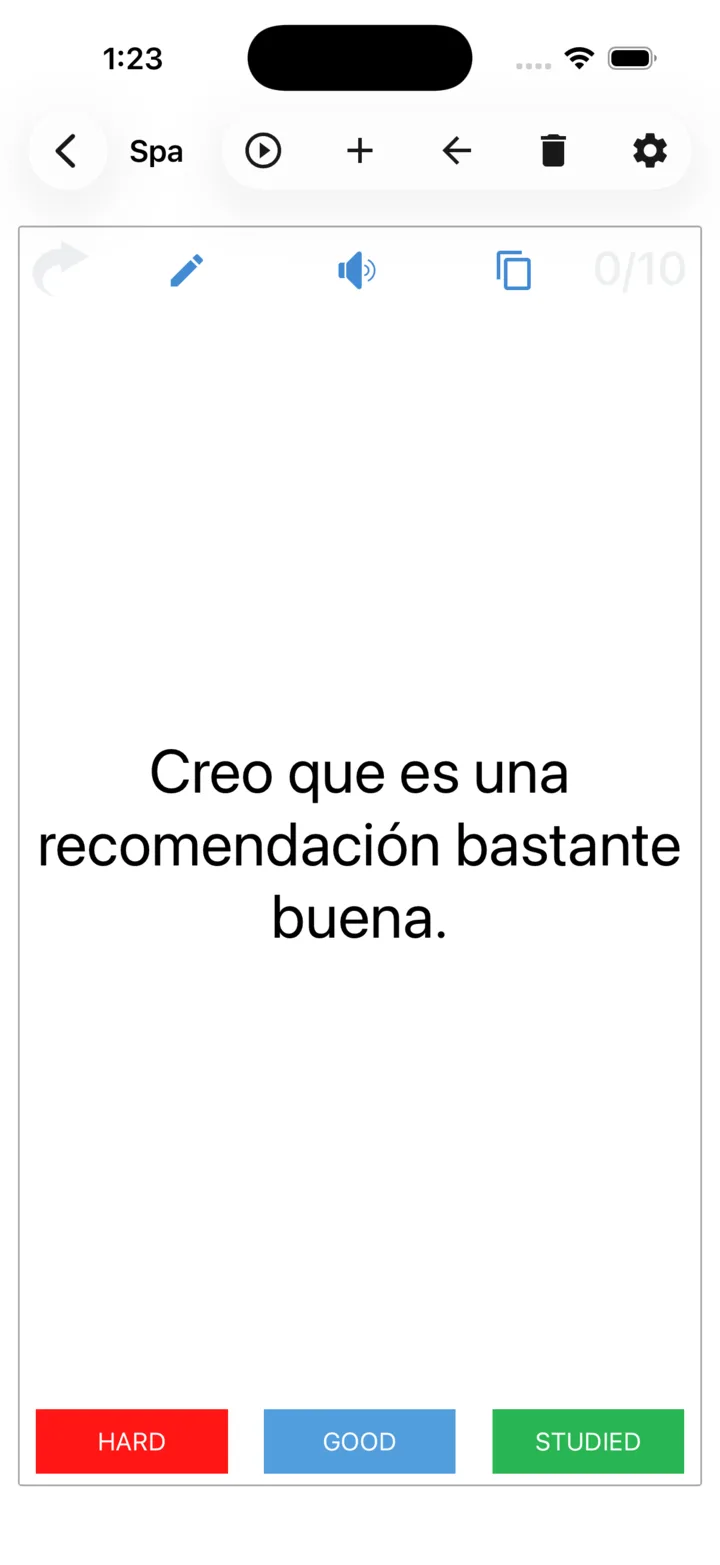
At the core of the web app is a powerful flashcard system with a built-in spaced repetition engine. The algorithm shows you each word just before you would forget it, so vocabulary moves into long-term memory with the least possible effort, and difficult words come back more often until they stick. You review right in the browser, rate each card Hard, Good, or Studied, and the system schedules the next review for you.
Attach images for stronger memory, store unlimited cards in your cloud account, set goals by day, week, month, or year, and watch your progress on built-in charts. Browse the knowledge base for free frequency and thematic dictionaries alongside your personal decks.
The signature web power tool
Build thousands of flashcards in one click with the Flashcards Manager
The Flashcards Manager turns any block of text into a full deck of personal flashcards with a single click, so an article, a lesson, a word list, or a vocabulary export becomes ready-to-study material in seconds instead of hours. It is the fastest way anywhere to build a large, custom vocabulary set, and the reason serious learners and teachers do their heavy lifting on the web.
A big screen and a keyboard make this kind of work far easier than a phone, which is exactly why the Flashcards Manager lives in the web app. Create and organize your decks here, then study them on the go in your mobile app - no copying or exporting in between.
Train your ear
Hear every word in native pronunciation
Every card in the web app can be heard in clear pronunciation, in both your native and your target language. Because we use the best speech synthesizers, playback is fast and consistent every time, and the pronunciation quality is actually at its best in the web app, even better than on mobile, so the browser is the ideal place to train your ear and check how a word should sound.
Listening as you study trains your ear to recognize words in real speech and gives you an accurate model to imitate out loud, which matters even more in tonal languages. Pairing what you see with what you hear builds stronger memory and makes recall far easier in a real conversation.
Best audio quality on the web. The same texts sound their clearest in the browser.

Instant audio playback
the beach
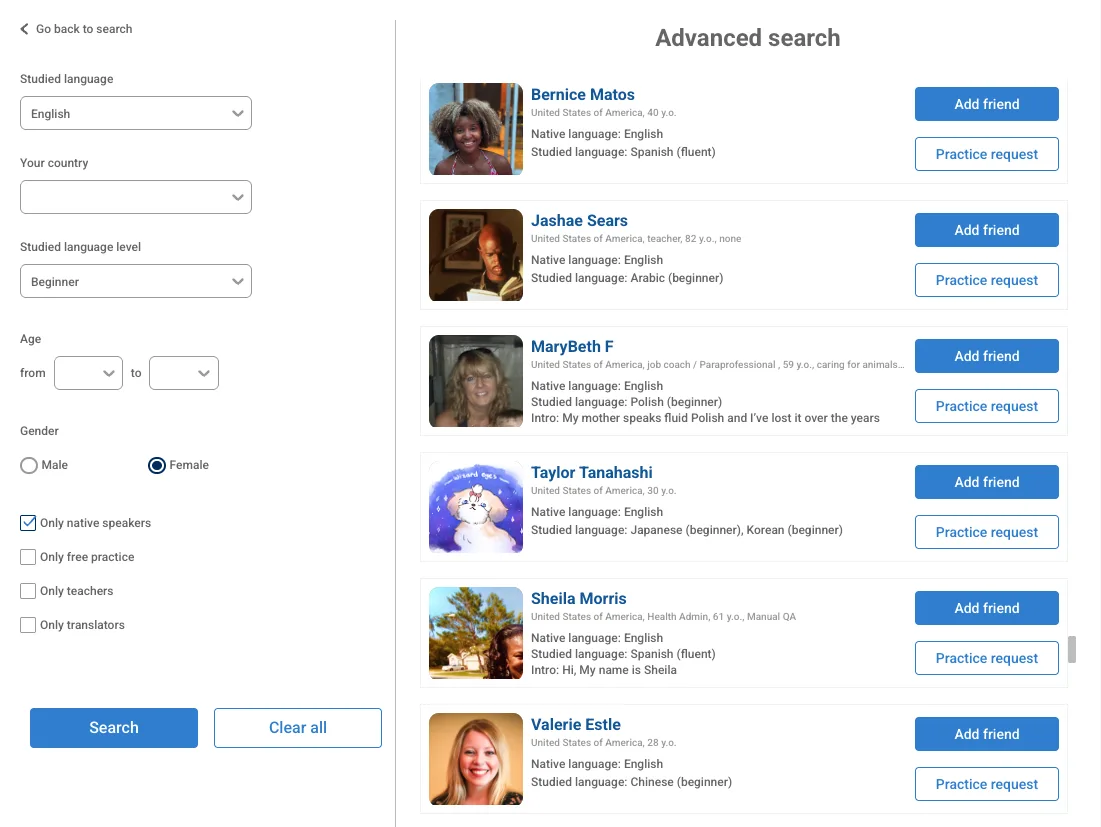
Advanced speaking-practice filters on the big screen - narrow partners by language, level, age, and more.
Real conversation
Practice speaking with real people
Reading and reviewing build vocabulary, but speaking builds fluency, so the web app includes a built-in social network for speaking practice. A free search engine finds your best partners worldwide and matches you by language, level, timezone, and shared interests, so conversations feel natural rather than forced. The big screen and full keyboard make long sessions far more comfortable, and the web gives you the most advanced tools and filters for narrowing down exactly the kind of partner you want.
Everything happens inside Lingocard through secure text and video chat, right in your browser, so you never need to share a phone number or move to another platform. See how it works on the speaking practice network, where practice partners often become friends around the world.
Teach a language
Create and run your own online school with School Hub
The web app is not only for learning a language, it is also where you can teach one. With School Hub you can create your own online school, build a structured curriculum, and invite both teachers and students to join it. It turns Lingocard into a complete teaching platform, where a tutor, a school, or a company can organize learners and deliver real lessons instead of juggling documents and chat threads.
Teachers no longer need scattered files and spreadsheets. You can digitalize your existing lessons and develop a structured curriculum right in the browser, categorizing material by level, topic, or grammar so students follow a clear path.
Unlike paid tutor marketplaces and classroom software, School Hub lets anyone set up a school and start teaching at no cost, and the built-in promotion tools help you find new students by featuring your school profile in the Lingocard social network, where people are already here to learn.
Teaching Studio
Teaching Studio: dashboards, lessons, and finding students
Teaching Studio is the tool teachers use to run their teaching: clear dashboards, lesson creation, curriculum development, and promotion tools that help attract new students. A solo tutor can use it on its own, and invited teachers get access to it inside School Hub - so it fits both an independent teacher and a full school.
Create & send lessons
Build a lesson with audio in the dashboard, then send it to the whole class in one click.
Memorize with spaced repetition
Students review each lesson on the schedule that produces retention - homework becomes measurable.
Because students review each lesson on the schedule that actually produces retention, class time is freed for real conversation. For everything about teaching with Lingocard and how to become a teacher, see language teaching.
One account
Everything syncs with the mobile app
Lingocard is one account across the web and your phone, so your work follows you. Build big decks in the Flashcards Manager on your laptop, then review them on the train. Start a study session on the web at your desk, and pick it up on your phone in line at the store. Send a lesson from Teaching Studio on the web, and your students receive it on their mobile apps to memorize on the go.
No installation
Free, in any browser, for 67 languages
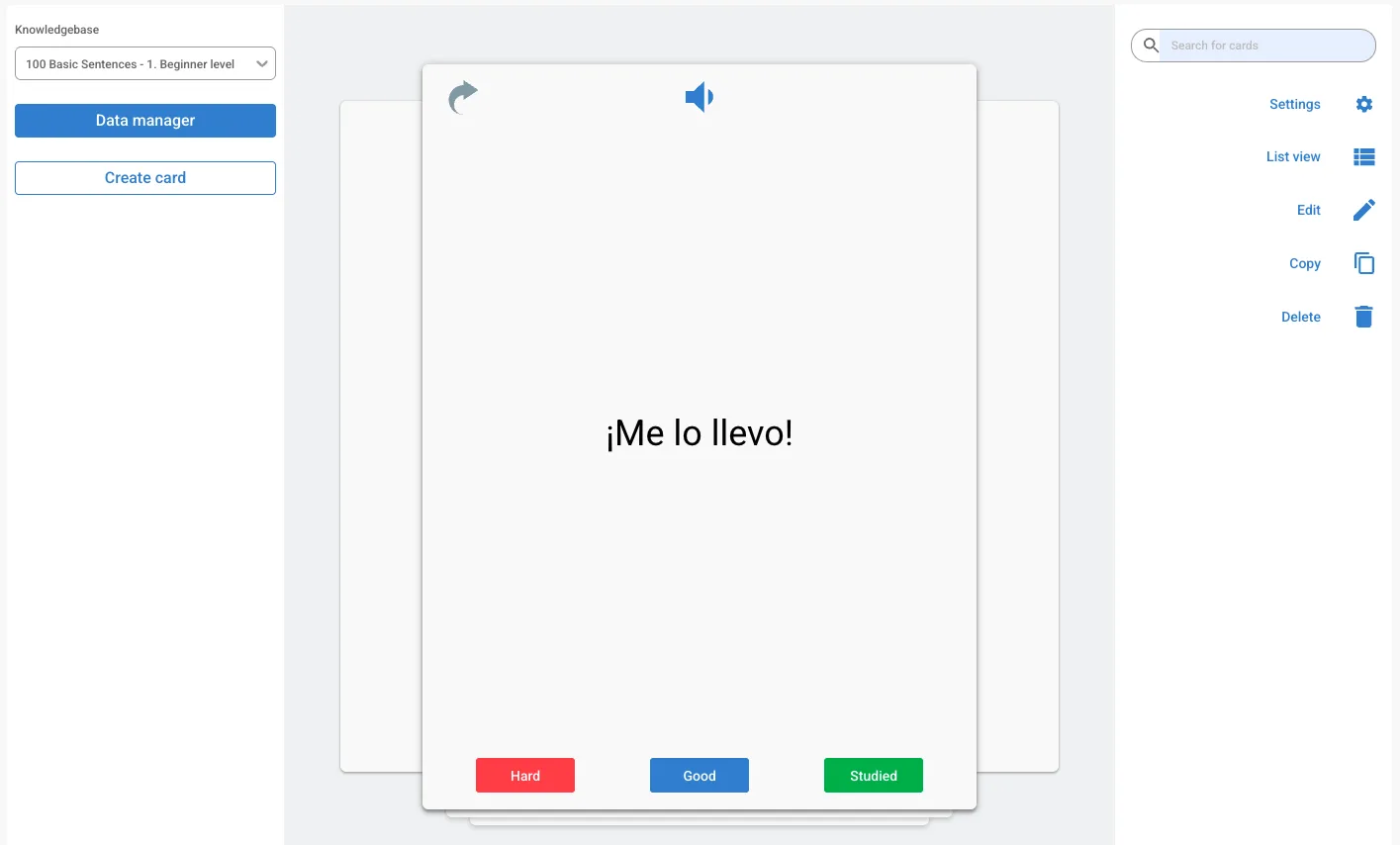
The web app runs in any modern browser, on Windows, macOS, Linux, and Chromebooks, with no installation, and it supports 67 languages, so whether you want to learn English, Spanish, Japanese, or something far less common, the flashcards, audio, spaced repetition, speaking practice, and teaching tools all work the same way. The core is free: studying, the spaced repetition system, native audio, basic dictionaries, and speaking practice all cost nothing, with a few specialized dictionaries on an inexpensive subscription.
The honest comparison
Lingocard web app vs. Quizlet vs. Anki
If you are comparing browser-based language tools, here is an honest look at how the Lingocard web app differs from two of the best-known names. Quizlet is easy to use but limits real spaced repetition on its free plan, and Anki is powerful but built mainly for desktop with a steep learning curve.
| Feature | Lingocard web app | Quizlet | Anki |
|---|---|---|---|
| Runs in the browser, no download | Yes | Yes | Limited (desktop app) |
| True adaptive spaced repetition | Yes, free | Limited on free plan | Yes |
| Built for language learning | Yes, 67 languages | General-purpose | General-purpose |
| Native audio on every card | Yes, free | Limited | Add-on / manual |
| Build thousands of cards in one click | Yes (Flashcards Manager) | Limited | Manual |
| Speaking practice with real people | Yes, built in | No | No |
| Create an online school + curriculum | Yes (School Hub) | No | No |
| Send lessons to students | Yes (Teaching Studio) | Paid tiers | Manual sharing |
| Syncs web and mobile | Yes | Yes | Add-on / manual |
| Price of core features | Free | Subscription for key features | Free desktop, paid iOS |
← Swipe to compare →
Lingocard was made by learners and teachers for their own use, so the web app pairs serious memory tools with real human conversation and a full teaching suite: a flashcards manager, frequency dictionaries, a global social network, School Hub, and Teaching Studio. You get everything you need to learn, create, and teach a language, in your browser.
67 languages
Learn any of 67 languages
Lingocard supports 67 languages in the web app, from the most widely spoken to regional ones, and polyglots can keep several languages active at once and switch between them in a tap. Choose your language to see how Lingocard helps you learn it.
Loved by learners and teachers
Why they do their heavy lifting on the web
The Flashcards Manager is unreal. I paste a news article and have a full deck with audio in one click, then review it on my phone on the bus. Hours of work, gone.
I run a small school entirely from School Hub. I built the curriculum in an afternoon, invited my tutors, and students just get the lessons on their phones. No more spreadsheets.
My school gives us Chromebooks, so there is nothing I can install. The web app just opens and everything is there - and it picks up on my phone at home. Perfect for studying between classes.
The advanced search on the big screen is so much better than the phone. I filter for native speakers at my level and have a video chat in minutes, right in the browser.
The pronunciation quality on the web is honestly great. It sounds like real native speakers, so I finally trust what I am repeating out loud.
I study on the web during breaks at work. I just switch to a browser tab and I am learning, with nothing to install and nothing to open.
My favourite part is making flashcards straight from a chat or a video call, right there on the same page in the browser, so new words never get lost.
Frequently asked questions
What is the best web app to learn a language?
Can I learn a language without downloading an app?
What is the Flashcards Manager?
Does the web app sync with the mobile app?
Can I create an online school?
How do teachers send lessons to students?
Can I practice speaking in the web app?
Can I hear how words are pronounced?
Which browsers and devices does the web app support?
Is Lingocard a good free alternative to Quizlet or Anki?
Can I use it to teach languages and earn?
Where do I manage my subscription, on web or mobile?
Open the Lingocard web app and start today
Learn, create, and teach a language right in your browser, with nothing to download. Study flashcards with spaced repetition, build thousands of cards in one click, practice with real people, and even start your own online school - free, across 67 languages.