
Cloud-Based Vocabulary Building: Learn Words on Any Device, Online or Offline
Andrei Kuzmin / Last updated: September 25, 2026
Cloud-based vocabulary building means your word lists, flashcards and progress are stored in an online account instead of on one device. You can add a word on your computer, review it on your phone during a commute and pick up exactly where you left off on a tablet. A good app also works offline and syncs later.
When I wrote down the features my future flashcard app had to have, before building the first version of Lingocard, cloud storage for all hard-to-remember words was already on that list. I had just seen the problem with paper cards: carrying hundreds of them around was a real hassle, and a deck you left at home is a deck you don't review.
This guide explains what cloud-based vocabulary building is, why learning across devices helps you remember more, and how to set up a simple routine that works online and offline.
What is cloud-based vocabulary building?
It's a way of learning new words where everything you create lives in cloud storage rather than in one app on one device. Your decks, audio, notes and review history are saved to your account and synced to every device you sign in on.
In practice, that gives you three things:
- One vocabulary everywhere. The same cards on your phone, computer and tablet.
- A backup you don't have to think about. Lose or replace a phone, and your words are still there.
- Progress that follows you. Your review schedule knows what you studied on another device.
Why does learning on several devices help you remember more words?
Because it makes short, frequent practice easy, and short, frequent practice is how memory works best. A large 2006 review by Nicholas Cepeda and his colleagues analyzed 839 assessments from 317 experiments and found that spreading study over time beats massing it into one long session.
Most of us already carry the right tool. According to the GSMA, 4.6 billion people, 57% of the world's population, used mobile internet by the end of 2023. With your words in the cloud, every spare five minutes on that phone can become a review session, and the computer is still there when you want to build a big deck.
Cloud sync also makes spaced repetition reliable. If you review a card on your phone in the morning, your laptop knows about it in the evening, so your schedule stays the same on every device. I explain how to set up the intervals in our spaced repetition schedule guide.
What should a cloud vocabulary app do?
Best for: choosing a vocabulary builder you won't outgrow.
Look for these features:
- Automatic sync on every platform. Web, Android and iOS, without exporting files.
- Offline study. You should be able to review on a plane and sync later.
- Room to grow. Your vocabulary grows for years, so check how many cards and how much storage the app allows.
- Fast ways to add words. Typing, speaking, or turning a whole text into a deck at once.
- Audio on every card. Pronunciation should travel with the word.
- Built-in spaced repetition. The app should decide when each word comes back.
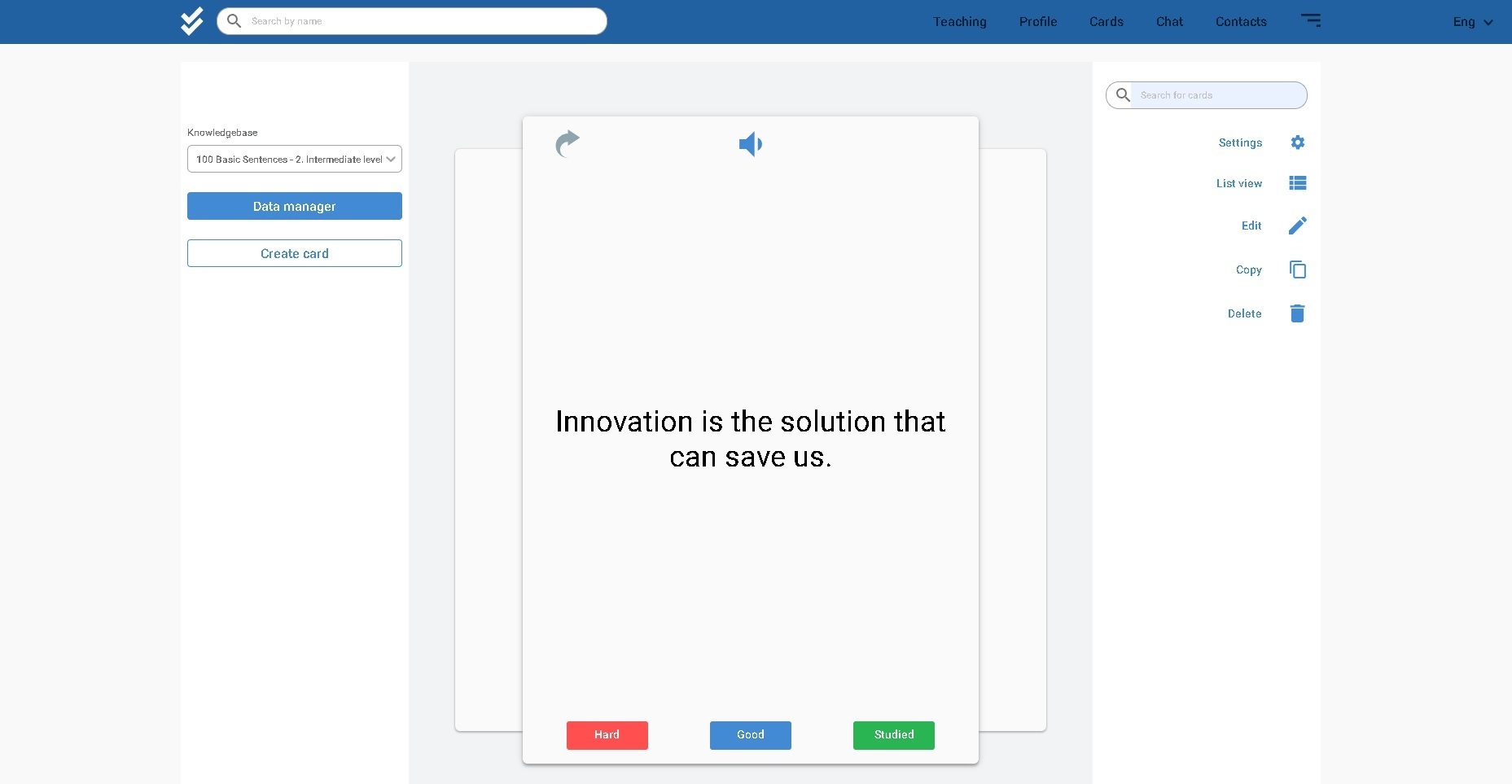
Lingocard is a free flashcards app built around these ideas. Every card is saved to your cloud account, it works in the browser and on Android and iOS, and you can study any combination of 67 languages. Premium Learning adds more personal dictionaries and cloud storage, plus the Flashcards Manager, which turns a word list into a deck in one click.
Can you build vocabulary offline?
Yes, and a good cloud app should make it effortless. In the Lingocard mobile app, the words you study are also stored on your phone, so you can keep reviewing without a connection, for example on a flight or in the subway. The app records your sessions locally and syncs your progress the next time you're online, so your review schedule and your streak stay intact.
That's the best of both worlds: the cloud keeps your vocabulary safe and shared between devices, and offline mode means a missing signal never stops your practice.
How to build a cross-device vocabulary routine
Best for: busy learners who study in short sessions.
- Build decks on a computer. A keyboard is faster for bigger jobs. In the web app, the Premium Flashcards Manager turns any text or word list into a deck of cards in one step.
- Review on your phone in the morning. Five or ten minutes with your due cards is enough.
- Listen on the go. On a commute or a walk, play your cards in the audio player and repeat the words out loud.
- Save new words the moment you meet them. Add a word from a film, a book or a conversation right away, from whatever device is in your hand.
- Finish the day with a short review. Your phone and computer show the same schedule, so you simply continue.
If you don't know where to start, begin with the most frequent words, for example The 100 Most Common Spanish Words with Pronunciation. And for more ways to make new words stick, see our guide to language flashcards.
The same cloud also connects your vocabulary to real conversations. In Lingocard's free speaking practice, you can save a word you hear straight to a flashcard, and it will be waiting in your deck on every device.
How do teachers use the cloud to share vocabulary?
For teachers, cloud storage solves a different problem: getting the same material to every student and keeping it up to date. You can build a vocabulary deck once, share it with your class and teach languages with Lingocard, so students review the right words with spaced repetition and audio on their own devices. If you grow beyond one class, you can even run your own online language school on the same platform.
Are there any downsides to cloud-based learning?
A few, and they're easy to manage:
- You need an account. Sign in with the same email on every device, or your words won't sync.
- Syncing needs a connection. Offline changes reach your other devices only after you're back online, so open the app with internet before you switch devices.
- Too many apps split your vocabulary. Keep all your words in one place, so nothing gets lost between tools.
Cloud-based vocabulary building isn't a new way to learn words. It's a way to make the proven methods, flashcards, audio and spaced repetition, available wherever you are. That was the idea behind Lingocard from the very first version, and today the whole Lingocard language learning platform runs on it.
Frequently asked questions
Learning new words with an app that stores your word lists, flashcards and progress in an online account, so they sync across your phone, computer and tablet and are backed up automatically.
Yes. In the Lingocard mobile app, the words you study are also stored on your phone, so you can review without internet, and your progress syncs the next time you are online.
It makes short, frequent practice easy, and spreading study over time beats cramming, as a 2006 review of 317 experiments found. Every spare few minutes on your phone can become a review session.
Automatic sync on web, Android and iOS, offline study, enough storage for your vocabulary, fast ways to add words, audio on every card and built-in spaced repetition.
Yes. With a cloud-based app like Lingocard, a teacher builds a deck once and shares it with the class, and students review it with spaced repetition and audio on their own devices.